


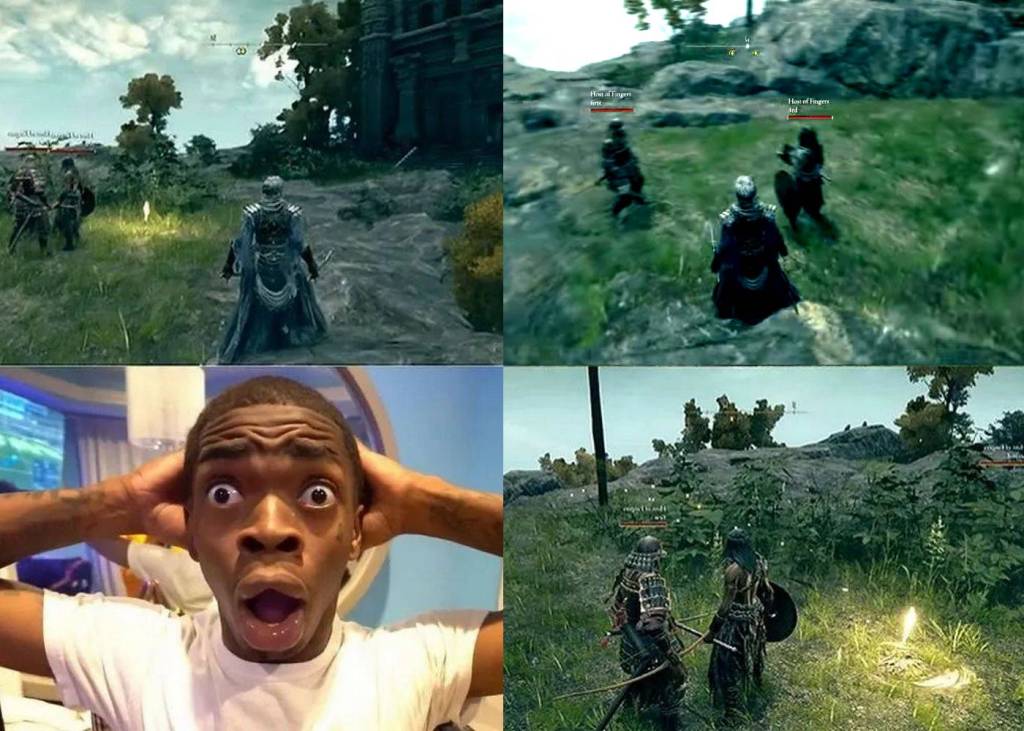
Do you love split-screen games but regret that not every title includes this feature? Don’t worry – with software like Nucleus Co-Op, you can add split-screen mode to hundreds of PC games that don’t officially support it.
The program is completely free and surprisingly easy to use. Let’s take a look at how to enable split-screen mode using Elden Ring as an example.
Split-screen mode in Elden Ring
Elden Ring is a masterpiece from FromSoftware, the creators of the Dark Souls series. While the game doesn’t include a local co-op option, Nucleus Co-Op makes it possible to play together on a single PC in split-screen mode.
As long as your computer is powerful enough, nothing stops you from running Elden Ring (or any other game supported by Nucleus Co-Op) in split-screen mode for three or even four players.
What is Nucleus Co-Op?
Nucleus Co-Op is a free tool that allows you to launch multiple instances of a game on one computer and enjoy local multiplayer. Thanks to this solution, players can play in split-screen mode even in titles that were never designed with this feature in mind.
How does Nucleus Co-Op work?
The application uses community-made scripts to assign each player a separate game window and controller. This way, two, three, or even four people can play together on one computer with a full split-screen setup.
Why use Nucleus Co-Op?
This program brings back the spirit of classic couch co-op gaming while removing the need for multiple PCs or consoles. It supports hundreds of PC games, and the list of compatible titles keeps expanding thanks to an active community.

FAQ
Looking for great split-screen games on PC?
Check out this roundup of the best split-screen titles. It’s an awesome resource for finding local multiplayer games that you can enjoy with friends on one computer.
Wondering if you can play together using just one controller and a keyboard?
Some games do allow it, but not all. For most offline multiplayer games, it’s safest to have two controllers ready to go – so you don’t run into any surprises when it’s time to play.
This article contains an affiliate link to G2A.com. By purchasing games through it, you support Tekknological

Best split-screen games (part 1). Top picks for local coop
Here are the best split-screen games for great local multiplayer fun. You can play them on both consoles and PC. Split-screen mode is nothing more than a local multiplayer option, where each player in front of a monitor or TV has access to their own part of the screen. Split-screen mode can be used for…

Top 100 best local co-op games. Play together on one PC or console
Watch the video with the 100 best games, that can be played by two or more players in the same time on single PC or console. Games that enable local multiplayer mode allow several players to play at the same time without an internet connection. The type of local co-op depends on the game -…
GeForce RTX 5050 4K test: the cheapest Blackwell. Return of 8 GB GPUs
The NVIDIA GeForce RTX 5050 got hammered in early reviews and benchmarks. Critics called it underpowered (even versus previous-gen cards), complained about the mere 8 GB of VRAM, slammed the price, and generally treated it as a bit of a joke – the kind of card that makes people ask, “Who signed off on this?”.…




Leave a Reply