


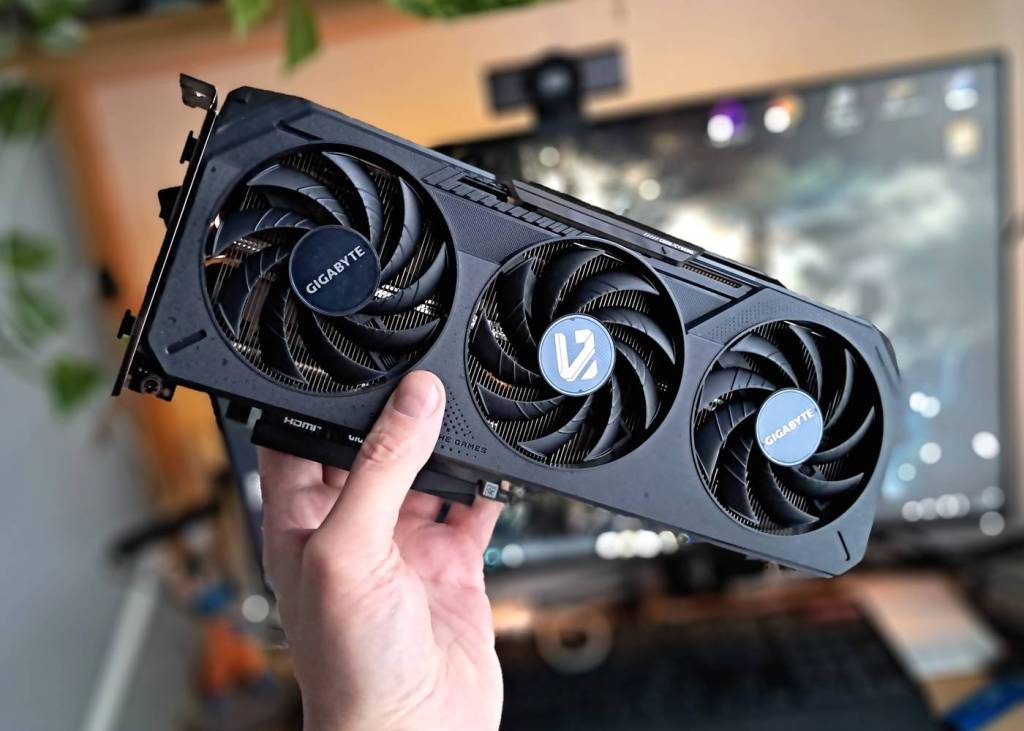
The NVIDIA GeForce RTX 5050 got hammered in early reviews and benchmarks. Critics called it underpowered (even versus previous-gen cards), complained about the mere 8 GB of VRAM, slammed the price, and generally treated it as a bit of a joke – the kind of card that makes people ask, “Who signed off on this?”.
Yet in light of recent events, including cutbacks in GeForce production and broad price hikes across the GPU market, getting a modern graphics card at a sane price and with halfway futureproof VRAM capacity may soon be close to impossible. In that context, the RTX 5050 might not be such a foolish idea after all – especially given that it does have some real strengths.
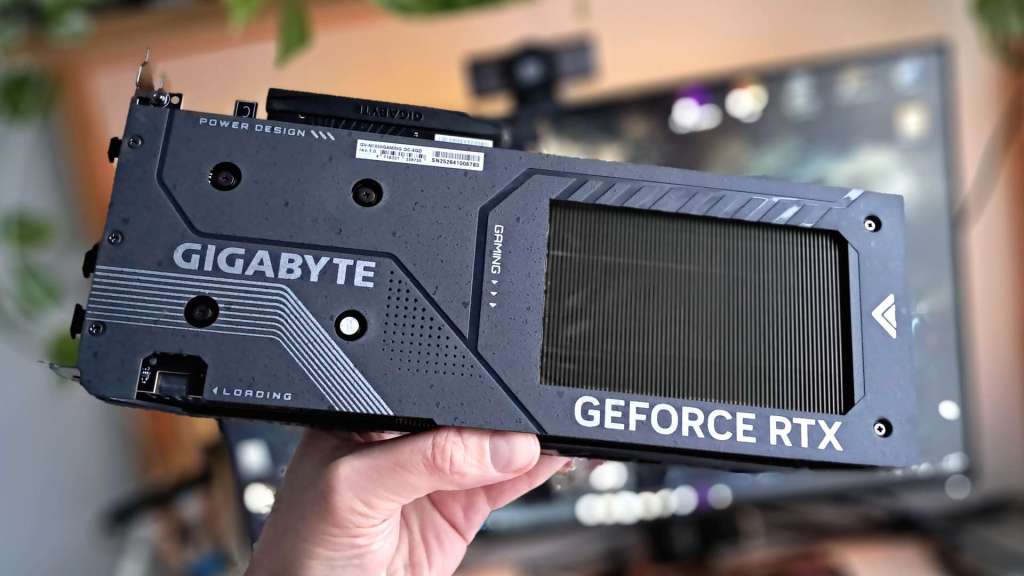
The card supports DLSS 4.5, including Multi Frame Generation, which can inject multiple additional frames per traditionally rendered frame to significantly boost perceived smoothness. It also handles the newest DLSS Super Resolution models, M and L, tuned for Performance and Ultra Performance modes while delivering image quality comparable to older Quality DLSS presets.
And no, 8 GB of VRAM does not magically become useless overnight. Larger VRAM buffers are obviously more future-proof, but 8 GB cards still hold up well at Full HD (1920×1080), and at QHD (2560×1440) most current titles will (for now) run without major issues when paired with sensible settings and upscaling. The real question is: what happens at higher resolutions? To answer that, we pushed the RTX 5050 in Clair Obscur: Expedition 33 with DLSS 4.5 in 4K.
Clair Obscur: Expedition 33 in 4K on GeForce RTX 5050
Official and community coverage presents Clair Obscur: Expedition 33 as a mid-range demanding title, but its recommended specs still surprise a portion of players with how high they are. The game ships with native support for DLSS 4 upscaling and frame generation, making it a great test case for RTX 4000 and RTX 5000 cards.
Owners of GeForce RTX 4000 GPUs can use up to the x2 Multi Frame Generation multiplier, while RTX 5000 cards unlock x3 and x4 – with DLSS 4.5 on the RTX 50 series further extending this concept. Before diving in, it’s worth updating both your graphics drivers and the game’s DLSS libraries for best results (details in the FAQ below).
Watch Clair Obscur: Expedition 33 running in 4K on the RTX 5050 (video)
Test results on GeForce RTX 5050 (high settings)
- 4K DLAA (native resolution): around 16–18 fps
- 4K DLSS 4.5 Ultra Performance: around 46–49 fps
- 4K DLSS 4.5 Ultra Performance + FG x4: around 103–113 fps
The game was tested using the High preset. The most aggressive configuration (DLSS Ultra Performance + FG x4) delivered strong performance even with Epic settings, but input latency then climbed to a level many players would find uncomfortable in practice.
So while 8 GB of VRAM still isn’t a truly future-proof spec in 2026, DLSS 4.5 lets you squeeze a surprising amount of performance out of this class of card, especially in titles that support Multi Frame Generation and modern upscaling.
FAQ
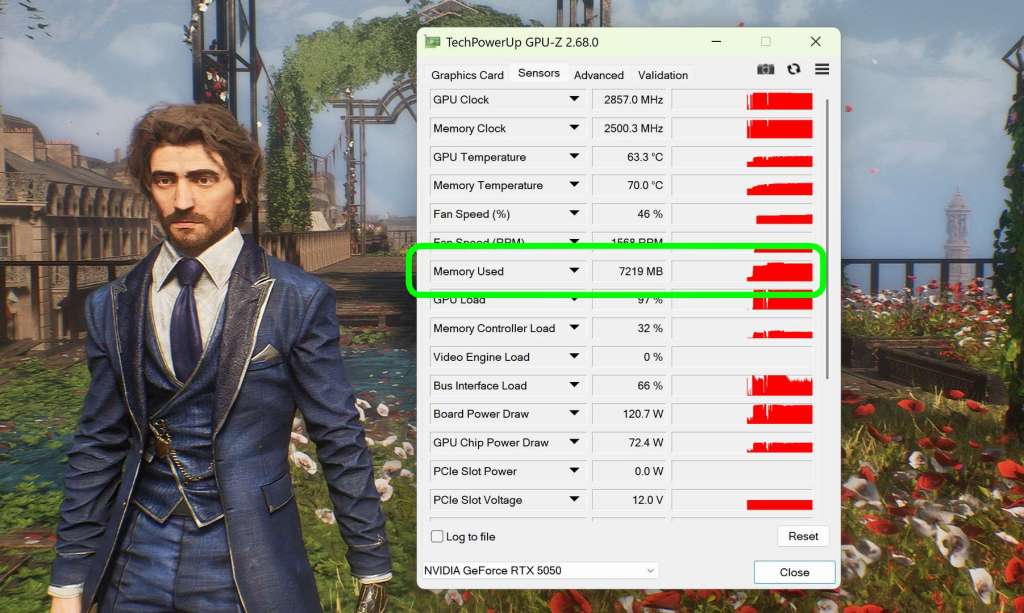
How much VRAM did Clair Obscur use at 4K DLSS Ultra Performance + FG x4?
Even though 8 GB VRAM no longer impresses anyone on a spec sheet, Clair Obscur: Expedition 33 used just over 7 GB in 4K with DLSS Ultra Performance and x4 frame generation enabled, leaving a small but important buffer.
What PC was used to test the GeForce RTX 5050 in Clair Obscur?
The test system paired a Gigabyte GeForce RTX 5050 Gaming OC with an affordable AMD Ryzen 7 8700F, 6000 MT/s RAM, and a SATA SSD. The CPU platform meant the GPU was running over PCI Express 4.0 x8 rather than PCIe 5.0, so the card wasn’t operating with the maximum bandwidth a cutting-edge motherboard could provide – yet it still produced very solid results, which is encouraging for budget and mid-range builds.
How do you enable the new DLSS 4.5 “M” and “L” models?
The latest DLSS “M” and “L” models offer the best image quality, but they are recommended primarily for RTX 4000 and newer GPUs due to their performance requirements. The easiest way to activate them in supported games is the free DLSS Swapper utility.
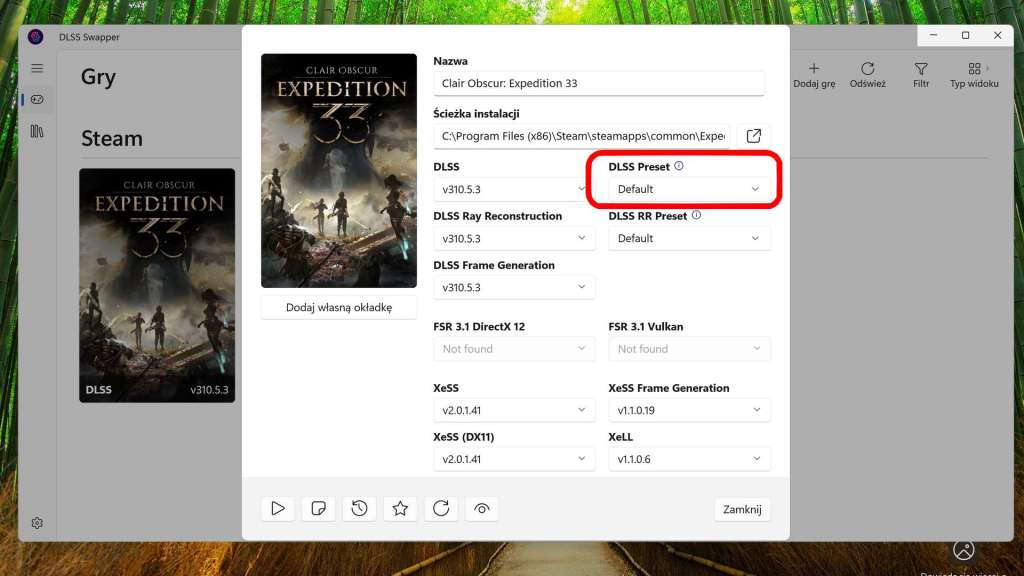
Within DLSS Swapper, you can select any available model (including M and L) via the DLSS Preset option, and it is strongly recommended to update the DLSS libraries in your games to the latest version to get the best visuals. Alternatively, you can simply choose the Recommended graphics settings profile in the NVIDIA App, which will automatically apply an appropriate DLSS model (such as M on an RTX 5050) when available.

The article includes an affiliate link to G2A.com. If you buy games using it, you will support the Tekknological.


 Tekknological - your ultimate gaming destination
Leave a comment