


RSR, or Radeon Super Resolution, is a scaling technology built into Adrenalin drivers that enables advanced upscaling in games lacking native FSR support. Radeon driver features extend beyond scaling – you can also enable frame generation with AFMF (AMD Fluid Motion Frames) and latency reduction via Radeon Anti-Lag.
Note that RSR and AFMF are less advanced than FSR 4 (or FSR 3), delivering slightly inferior quality. Yet, for games without built-in FSR (or XeSS, usable on non-Intel Arc GPUs), they often provide the only viable boost to performance.
How to enable scaling and frame generation on Radeon GPUs (in games with no FSR support)
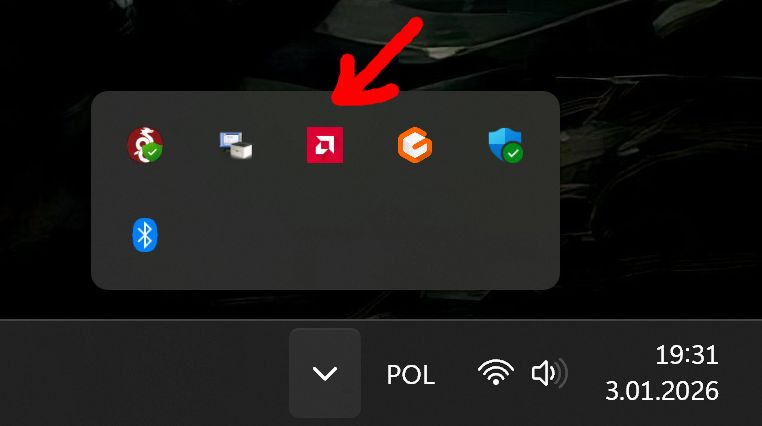
Launch the Adrenalin interface (via tray icon or Alt+R shortcut) and update drivers to the latest version – find options in settings. In the Gaming menu, select your target game or enable globally for all installed titles.
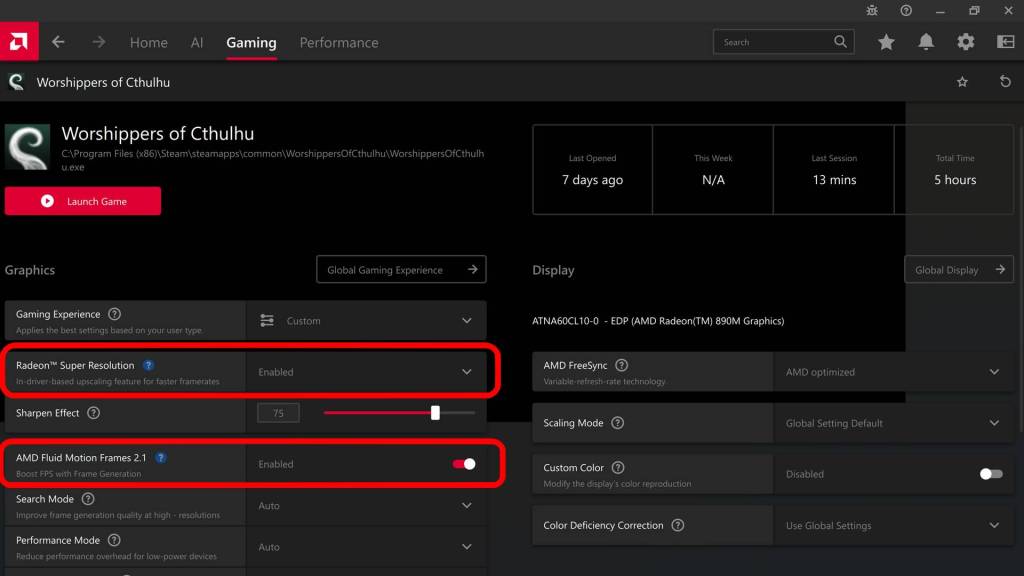
Start with Radeon Super Resolution: toggle it on, then hit “Launch Game” for guaranteed activation regardless of launch method (launcher or desktop icon). Expand RSR settings for non-fullscreen support (e.g., Windowed Borderless) in edge cases.
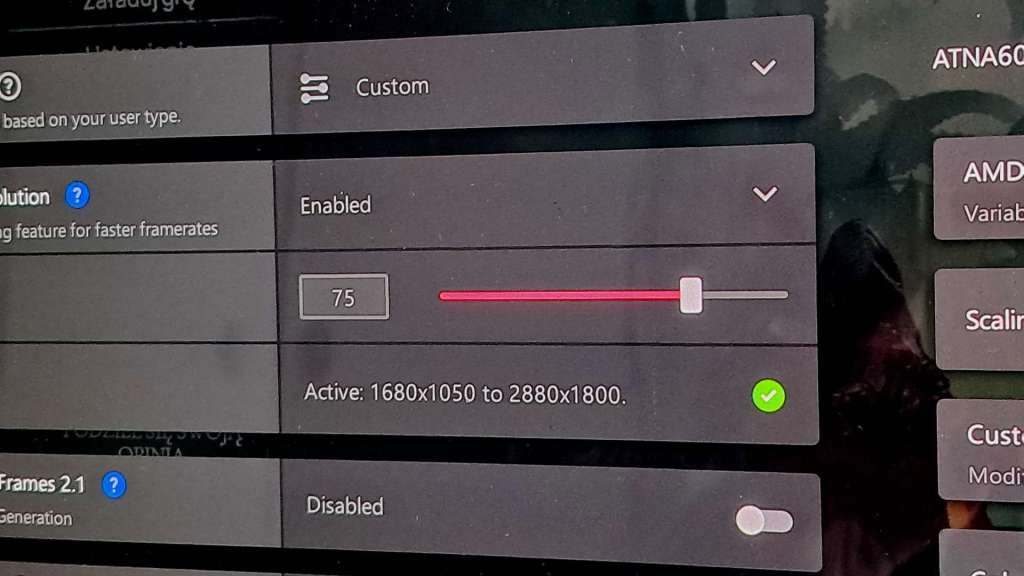
In-game, Adrenalin overlay may note RSR is active but not applying – ensure fullscreen mode and lower in-game resolution to trigger upscaling to monitor native res.
Monitor FPS gains with Adrenalin’s performance overlay (Ctrl+Shift+O); aim for at least 50-60 FPS before adding AFMF frame gen, which auto-enables Anti-Lag.
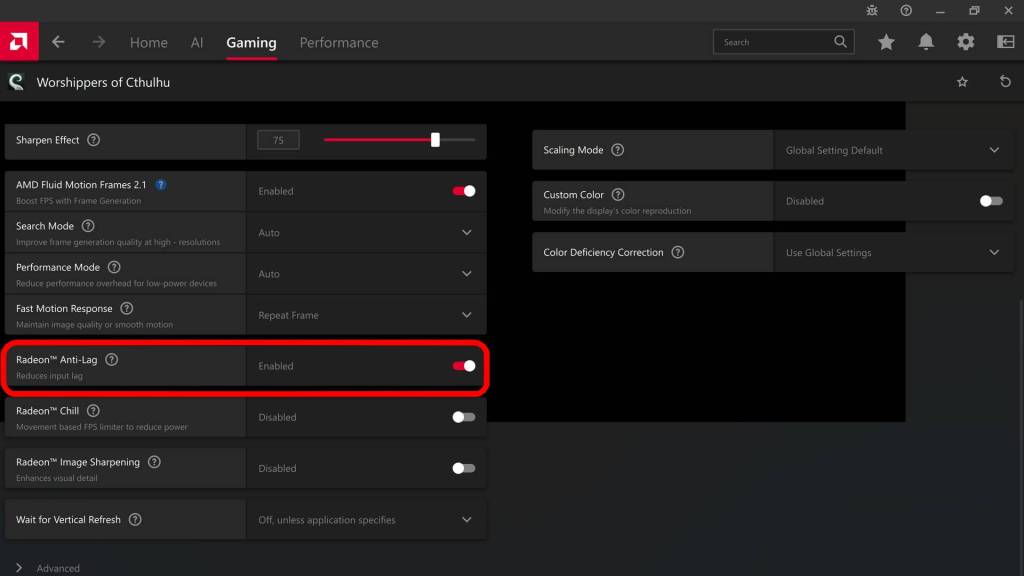
Only Adrenalin overlay accurately shows AFMF FPS uplift – Steam, Xbox, or CapFrameX may not.
Test results: RSR and AFMF in action (video)
Tests used Worshippers of Cthulhu, a city-builder without native FSR scaling or frame gen – input lag from frames has negligible impact here. Conducted on ASUS Zenbook laptop with AMD Ryzen AI 370HX and integrated Radeon 890M iGPU (no discrete GPU).
FAQ
Too complicated? Simpler option?
Enable HYPR-RX in Adrenalin for one-click global activation of RSR, AFMF, and Radeon Boost (dynamic quality drops during motion).
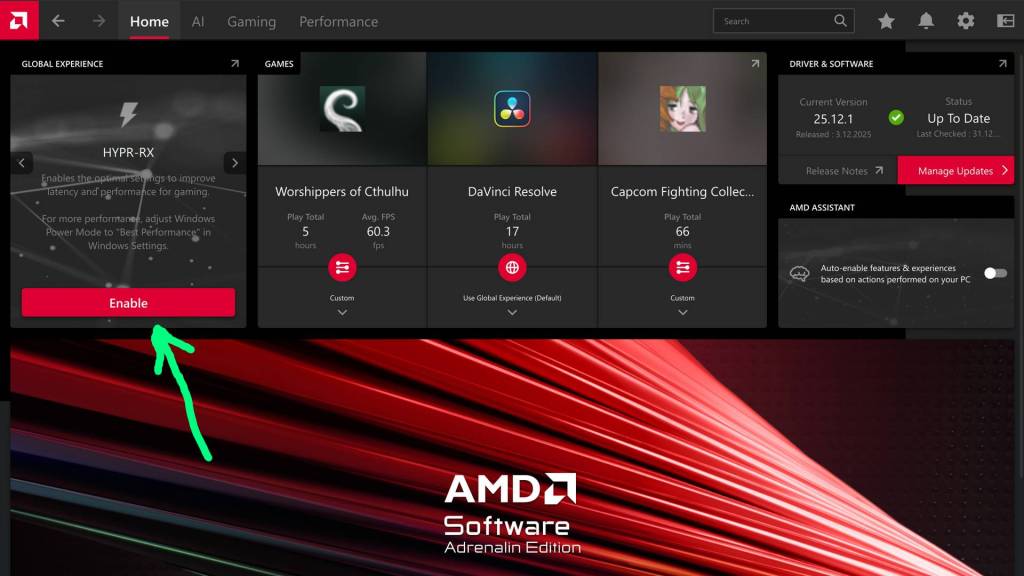
RSR requirements?
Radeon RX 5000-series (or better) on Windows 10/11.
AFMF 2.1 requirements?
Radeon RX 7000/700M recommended; RX 6000 works in fullscreen mode only. Pair with FreeSync monitor, disable V-Sync globally/in-game. Supports DX11/12, Vulkan, OpenGL on Win10/11.
AFMF frame generation downsides?
Frame gen adds input lag (partially mitigated by Anti-Lag), unlike pure scaling’s minor quality hit. Use only post-scaling at 50-60+ FPS on >60Hz displays.
Do NVIDIA GeForce owners have a similar solution?
Yes, GeForce RTX users also have comparable technologies (usable when games lack NVIDIA DLSS support), but this guide focuses solely on Radeon options (discrete and integrated GPUs)

The article includes an affiliate link to G2A.com. If you buy games using it, you will support the Tekknological.

 Tekknological - your ultimate gaming destination
Leave a comment